Dell XPS 15 Review

If you're in the market for a premium 15-inch laptop that balances power, portability, and a stunning display, the Dell XPS 15 has been a standout choice for years—and the latest model continues to deliver. Whether you're a creative professional editing 4K video, a developer running multiple IDEs and containers, or a power user who simply demands the best, the XPS 15 aims to be your single machine for work and play. We've spent several weeks with this machine for both creative work and everyday use. Here's our in-depth take.
Design & Build Quality
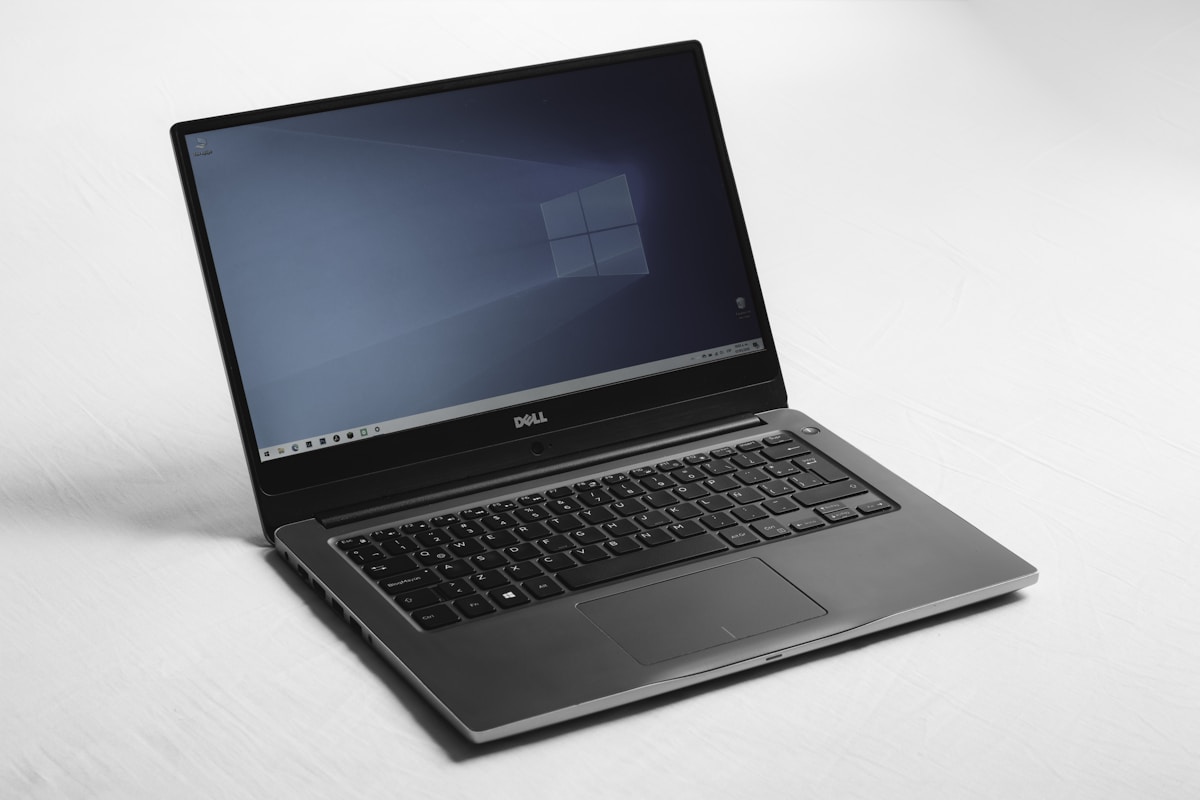
The XPS 15 is built from machined aluminum and carbon fiber, giving it a premium feel that rivals the best ultrabooks on the market. The chassis is rigid—there's no creak or flex when you pick it up or type hard. The lid opens smoothly with one hand, and the hinge feels robust enough to last for years. At around 4.2 pounds, it's not the lightest 15-inch laptop, but it's still very portable for its screen size and performance tier.
The keyboard deck uses a soft-touch material that stays cool under load and resists fingerprints. Key travel is deep and satisfying; we found it comfortable for long typing sessions. The large touchpad is among the best we've used on a Windows laptop—precise, responsive, and comfortable for gesture navigation. Dell has also refined the bezels to near edge-to-edge, so the display feels front and center without making the machine unwieldy.
Performance
Our review unit came with an Intel Core i7 processor, 32GB RAM, and a dedicated NVIDIA GPU. For photo editing in Lightroom and Photoshop, video work in DaVinci Resolve, and multitasking with dozens of browser tabs and apps, the XPS 15 didn't skip a beat. Export times in video software were competitive with other high-end portables, and everyday tasks felt instant. If you need maximum performance, configs with more RAM and higher-tier GPUs are available.
Thermal management is solid: the laptop can get warm under sustained load but remains usable on your lap. Fan noise is noticeable under heavy use but not excessive—Dell's tuning prioritizes performance over silence when needed. For most mixed workloads, the system stays quiet. Gaming is possible at moderate settings on the integrated or discrete GPU, though this isn't a dedicated gaming machine; it's built for creators and professionals who need reliable power on the go.
Display / Screen
This is where the XPS 15 truly shines. The 15.6-inch OLED panel (3.5K resolution in our config) offers deep blacks, vibrant colors, and excellent contrast. Whether you're editing photos, watching movies, or reading text, the image quality is outstanding. The display is bright enough for indoor use and even moderate outdoor visibility. Color accuracy is suitable for creative work—many reviewers use it for color-critical tasks without an external monitor.
The 16:10 aspect ratio gives you extra vertical space for documents and timelines—a welcome upgrade over 16:9. You'll see more of your code, spreadsheets, and timelines without scrolling. For anyone who values screen quality, the XPS 15's display is a major selling point. Touch is optional on some configs; we didn't find it essential, but it's there if you want it.
Battery Life
With the OLED panel and powerful internals, we didn't expect all-day battery life—and in heavy use, you'll need to plug in by late afternoon. For mixed use (browsing, documents, some video), we consistently saw around 6–8 hours, which is respectable for a 15-inch performance machine. Lighter workloads can stretch that further; expect closer to 5–6 hours if you're editing video or running demanding apps.
Fast charging is supported, so a short top-up can get you through the rest of the day. If all-day unplugged use is critical, consider the FHD+ non-OLED configuration for better efficiency. For most users who work near an outlet or carry a charger, the XPS 15's battery is adequate and rarely a dealbreaker.
Features
The XPS 15 includes a solid port selection: Thunderbolt 4, USB-C, full-size SD card reader, and a 3.5mm jack. The SD reader is especially useful for photographers and videographers who offload cards frequently. The webcam is 1080p and adequate for video calls; it's not the best in class but a step up from 720p. The quad-speaker setup delivers clear audio with decent bass for a laptop—good enough for casual listening and calls.
Wi-Fi 6E and Bluetooth 5.2 round out connectivity. One minor gripe: the power button doubles as a fingerprint reader, which is convenient once you're used to it, but the placement can feel slightly awkward at first. Windows Hello facial recognition is also available on models with the IR camera. Overall, the feature set is well thought out for professionals who need a balance of connectivity and simplicity.
Pros and Cons
Pros
- Stunning OLED display with excellent color and contrast
- Strong performance for creative and professional workloads
- Premium build quality and comfortable keyboard and touchpad
- Good port selection including SD card reader
- 16:10 screen ratio improves productivity
Cons
- Battery life is good but not best-in-class with OLED
- Can get warm and audible under heavy load
- Premium price; base configs start high
Final Verdict
The Dell XPS 15 remains one of the best 15-inch laptops you can buy for design, performance, and screen quality. It's ideal for creators, professionals, and power users who want a single machine that can handle demanding apps and still look and feel premium. If you prioritize display quality and build over absolute battery life or the lowest price, the XPS 15 is an easy recommendation and our Editor's Choice in this category. We recommend it for anyone ready to invest in a machine that will serve them well for years.
